Make every video worth watching
Dina records your screen and refines it automatically —
so what your audience sees is as clear as what you imagined.
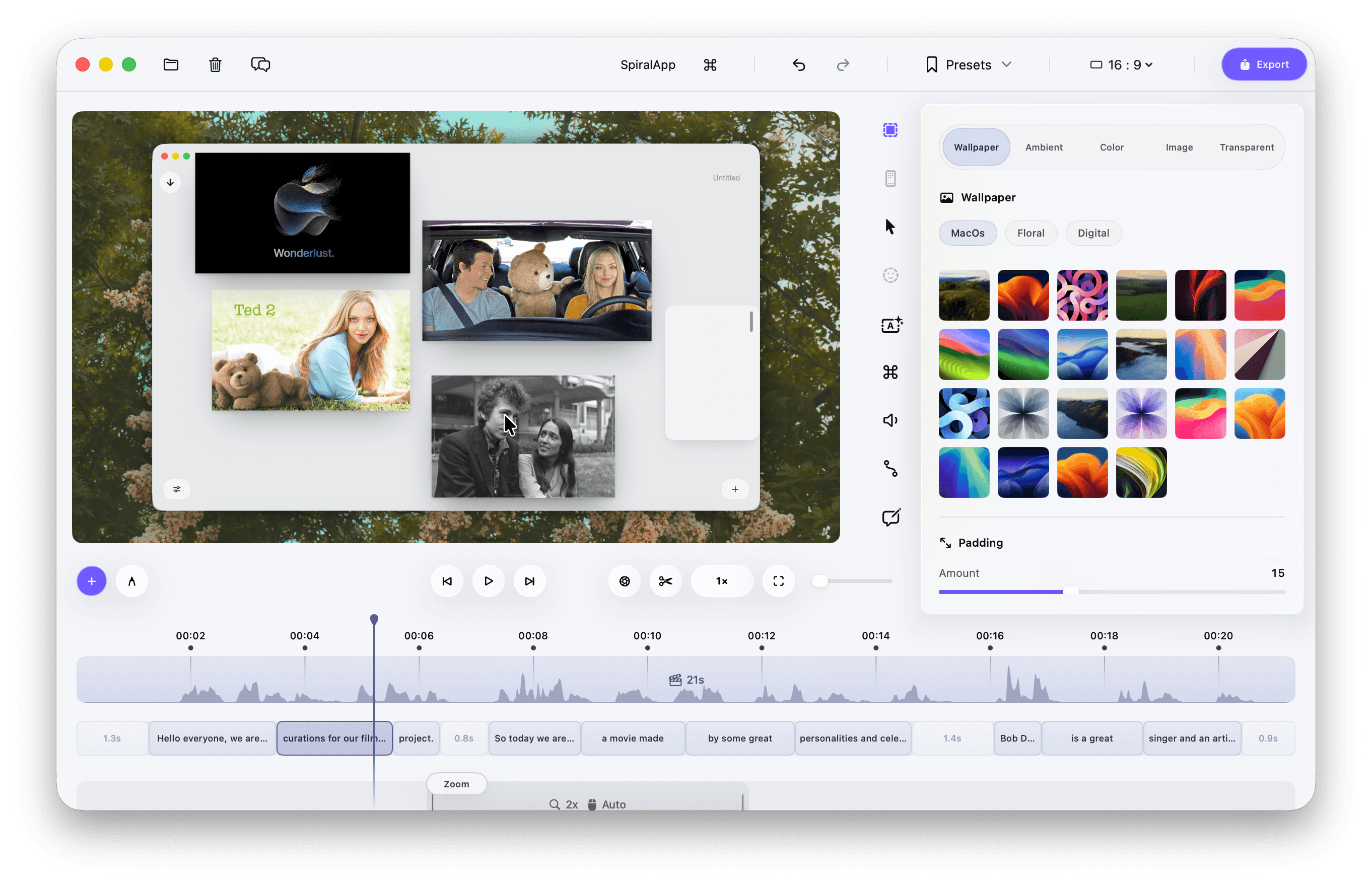
Dina is built to create beautiful videos from your screen—with motion, zoom, and clarity handled for you, so every recording feels ready to present.
Trusted by professionals at




Not just a recorder.
A complete video workflow
Dina is your AI assistant for everything you need to do
Capture everything that matters
Screen, audio, camera, cursor, and keystrokes—all in one take.
Make every frame feel intentional
Backgrounds, cursor effects, layouts, and camera—designed to look right
Shape every moment with precision
Trim, split, zoom, and refine with a full timeline and transcript control
Studio-quality videos. Ready instantly
4K output, multiple formats, and fast rendering
Cinematic Zoom.
Follow what matters.
Dina automatically zooms into key interactions, helping your audience stay focused without distraction. Demos and tutorials feel clearer, more engaging, and effortless to watch
Automatic zoom
Dina automatically zooms into key interactions, helping your audience stay focused without distraction. Demos and tutorials feel clearer, more engaging, and effortless to watch
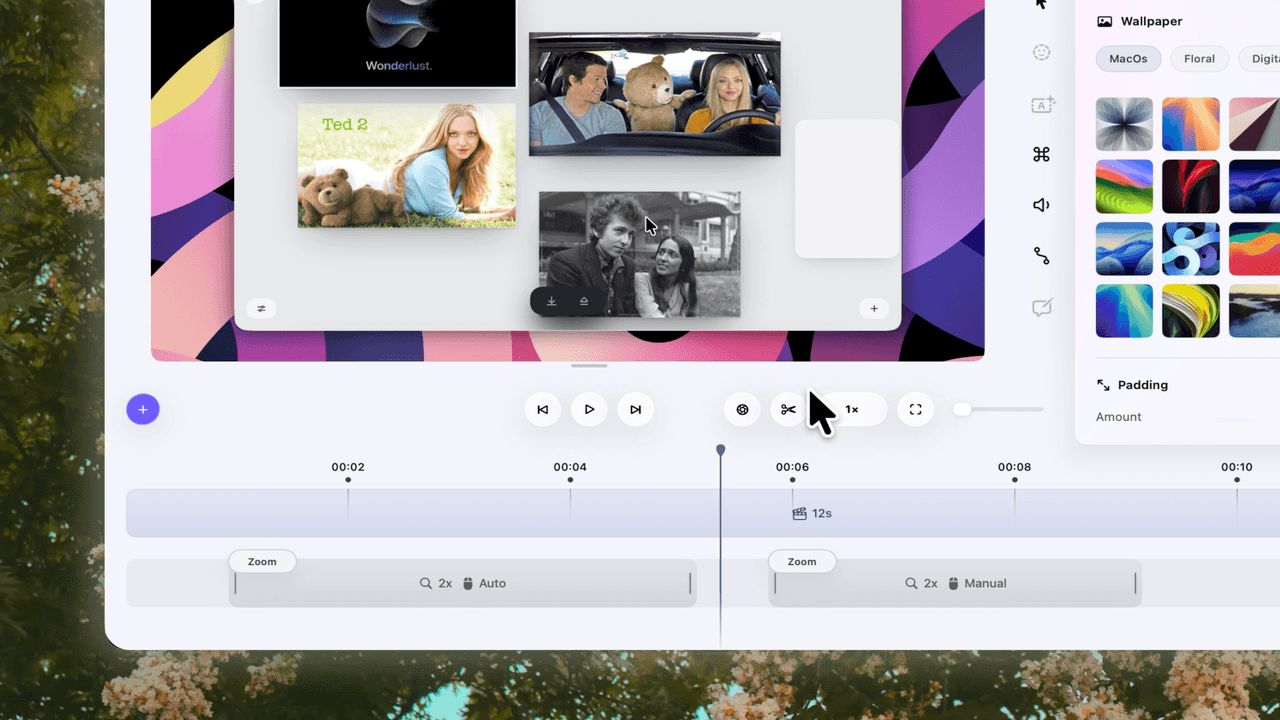
Manual and auto zoom
Choose between automatic zoom or precise manual control to highlight what matters most.
Control Zoom Animations
Use smooth, intentional zoom animations to guide your audience through every important detail.
More depth.
More feeling.
Bring subtle, cinematic 3D motion to every recording—so your videos feel immersive, polished, and naturally engaging.
A new dimension
Add subtle 3D camera movement and depth to your recording, so every scene feels more cinematic and alive.
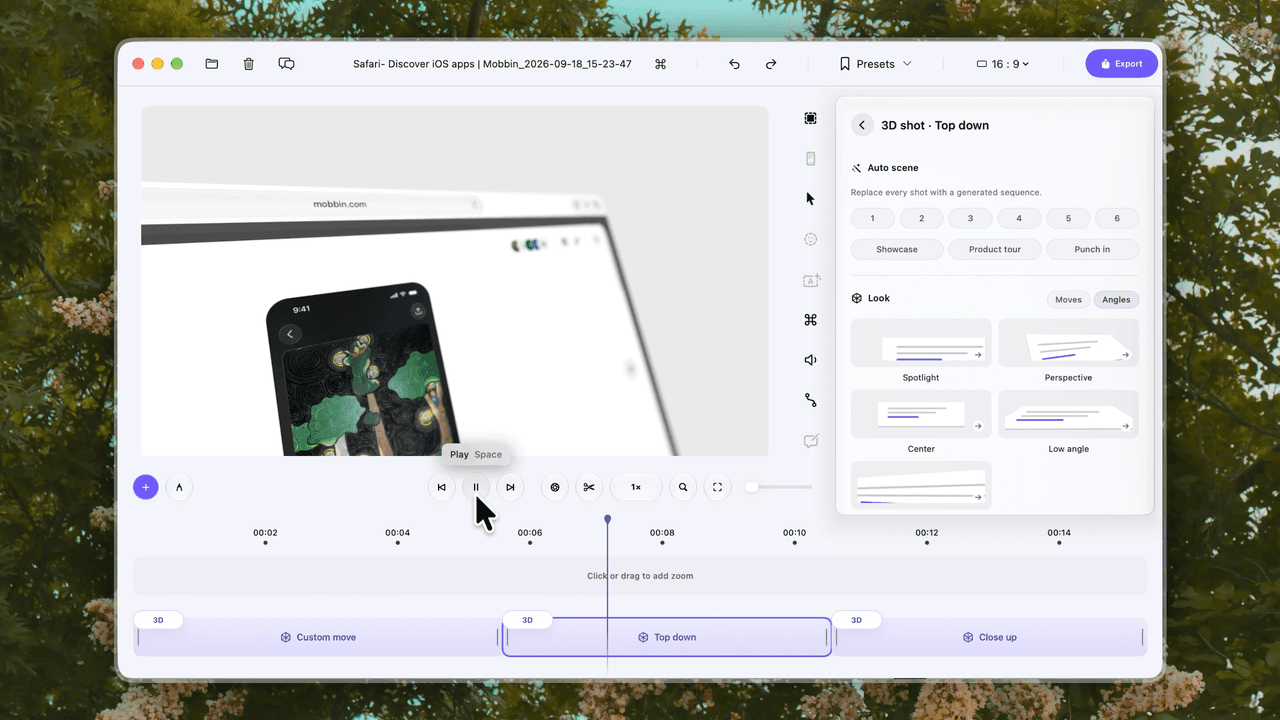
Set the perspective
Choose the angle that fits the moment—from a gentle perspective to a dynamic top-down shot.
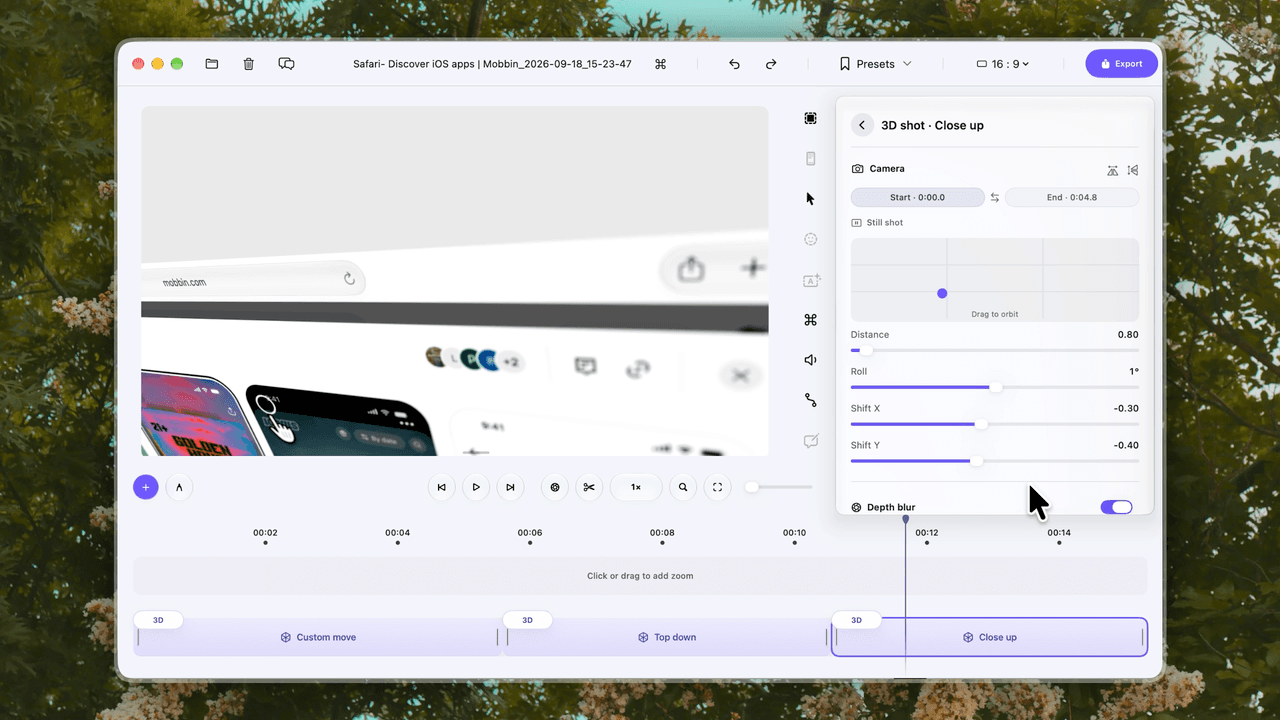
Fine-tune the motion
Adjust camera position, distance, roll, and depth blur to make each move feel exactly right.
Gorgeous animations.
More expressive.
Dina adds smooth, professional motion to every screen recording automatically so your videos feel polished the moment you stop recording
Smooth cursor movements
Cursor movement is gently refined, so motion feels steady and intentional throughout your recording.
Shortcuts, visible.
Show every key as it’s pressed—so your audience can follow along, effortlessly.
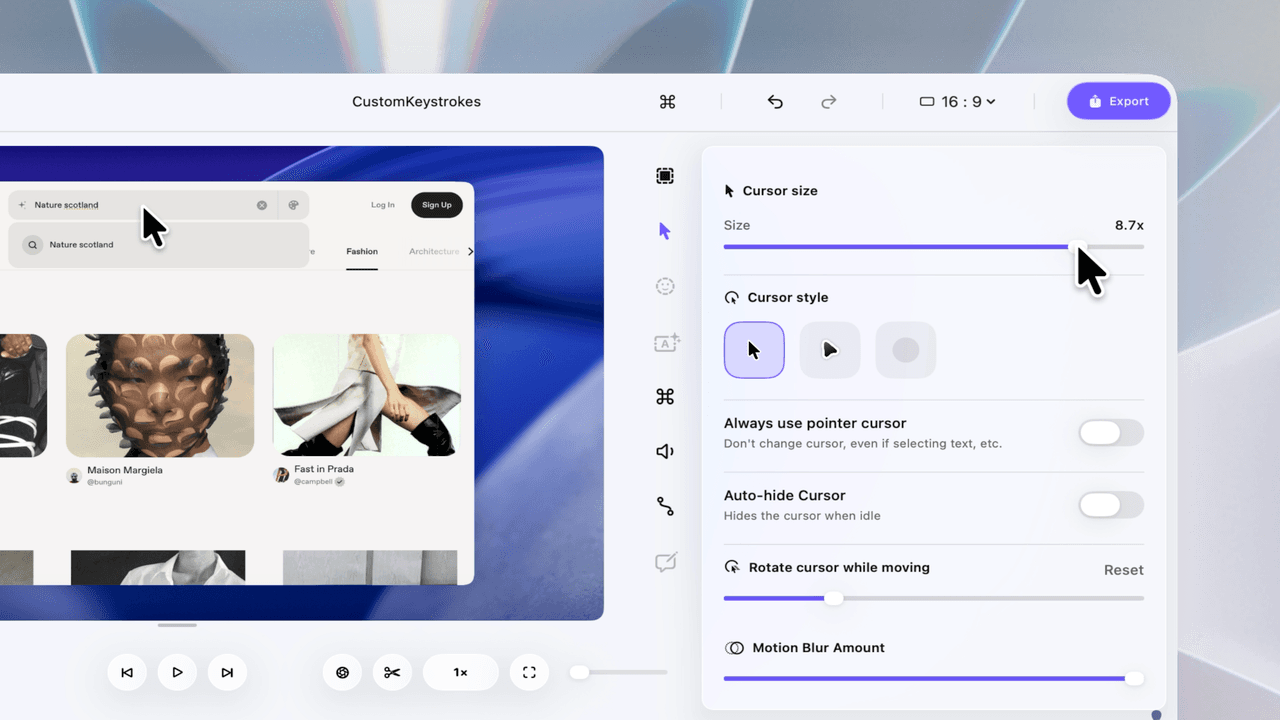
Cursor Customizations
Customize cursor size, variant, and highlight effects to match your brand and improve clarity.
Keyboard Shortcuts Customizations
Customize the keyboard shortcuts to match your brand and improve clarity.
Layouts, done right.
Beautifully.
Use layouts to bring together text, visuals, and motion into complete scenes that feel balanced and easy to follow, without breaking the rhythm of your recording
Complete layouts
Bring together titles, slides, images, and video into cohesive scenes that feel balanced, intentional, and ready to present.
Mask Layout
Hide sensitive information with flexible, multi-region masking—exactly where you need it.
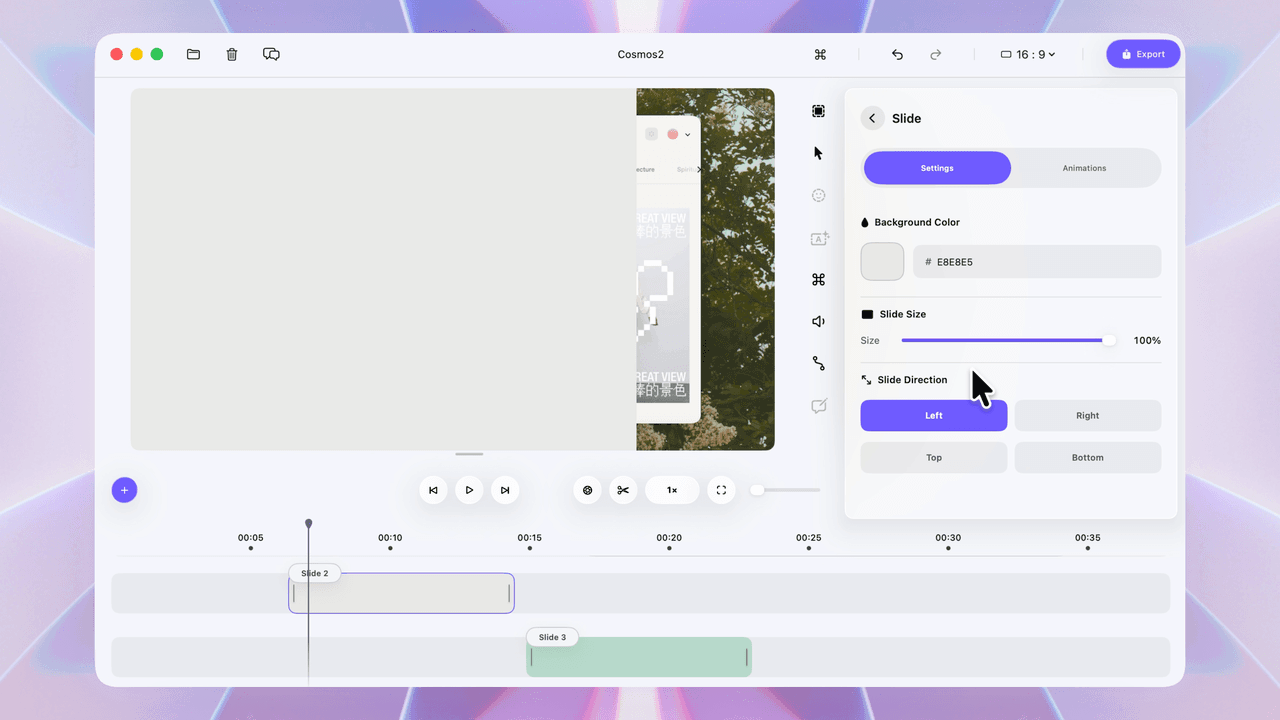
Slide Layout
Add slides directly into your recording and control their color, timing, and animation so they feel like part of the video, not an overlay.
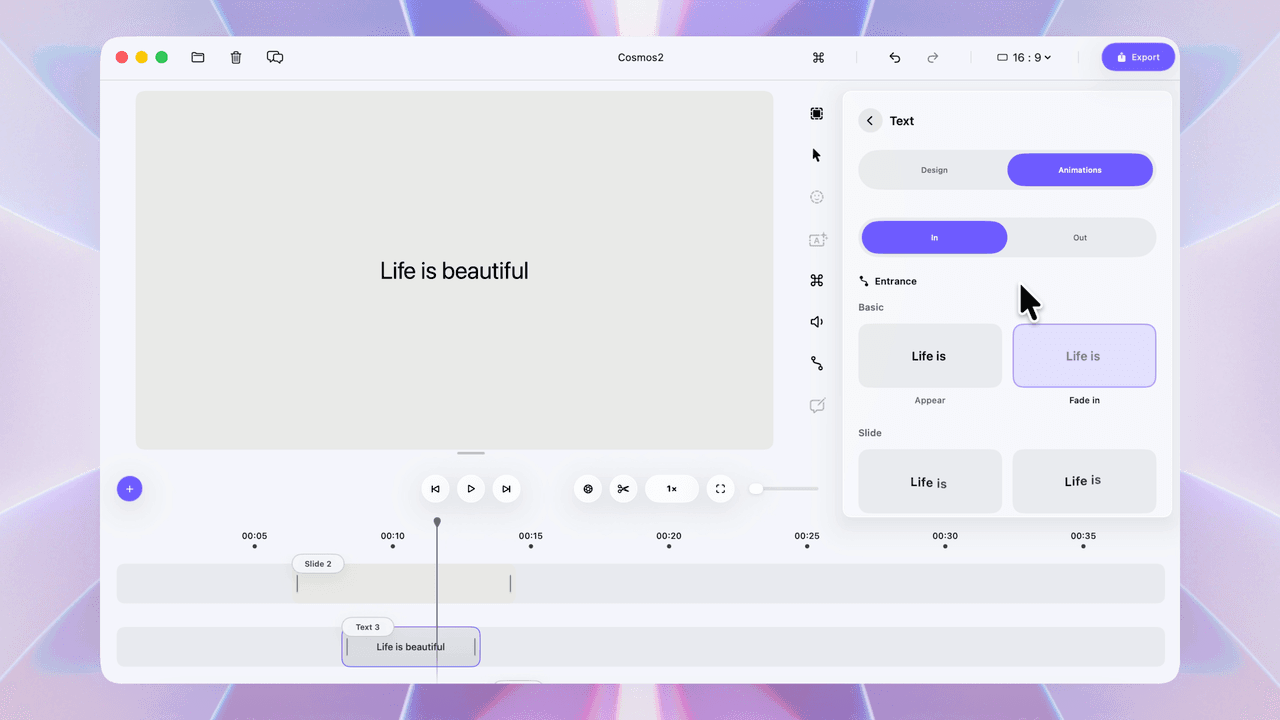
Text Layout
Add text with solid or gradient fills and refined animations, timed to appear and exit naturally as your recording progresses.
Guide attention,
without effort.
Use annotations to highlight, point, and explain directly within your video—so your viewer always knows where to look.
Annotations
Guide attention exactly where it matters. Add arrows, highlights, shapes, and callouts directly into your video to make every moment clearer.
Callouts
Add contextual notes that feel part of the video. Customize text, colors, and timing to explain things naturally, without breaking the flow.
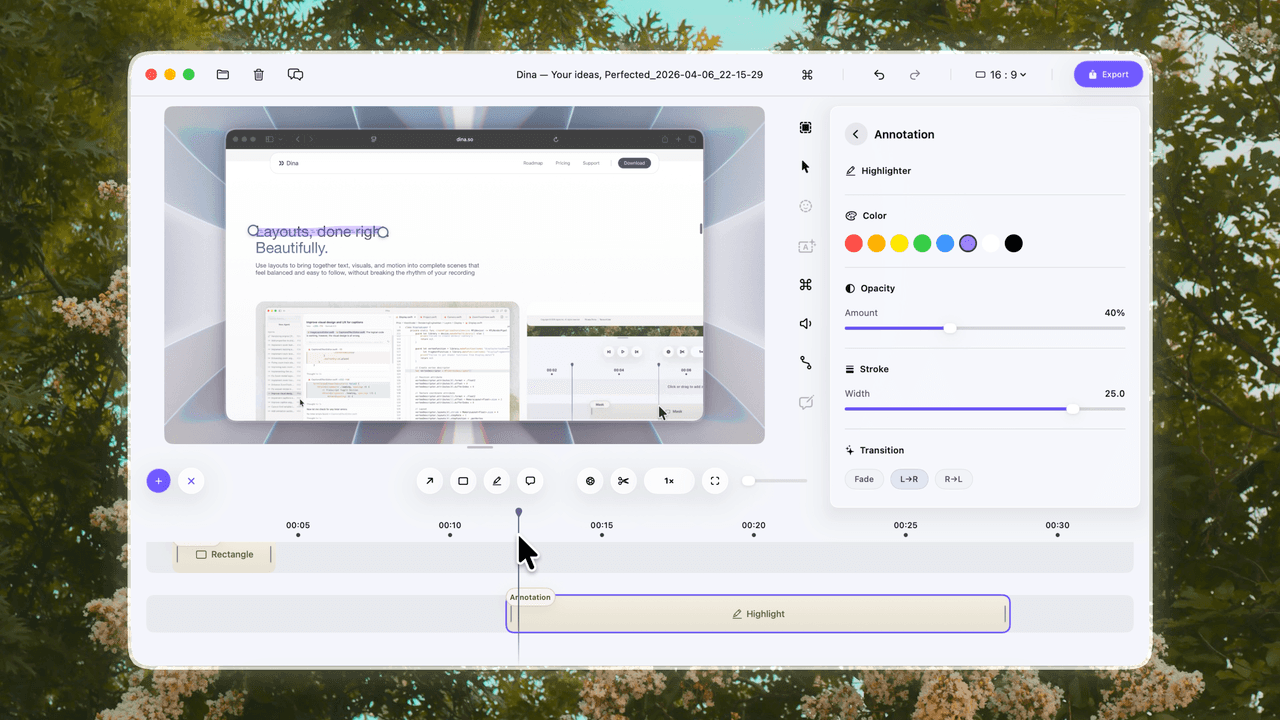
Highlights
Bring focus to what matters. Use highlights to draw attention, guide the viewer’s eye, and make key moments impossible to miss.
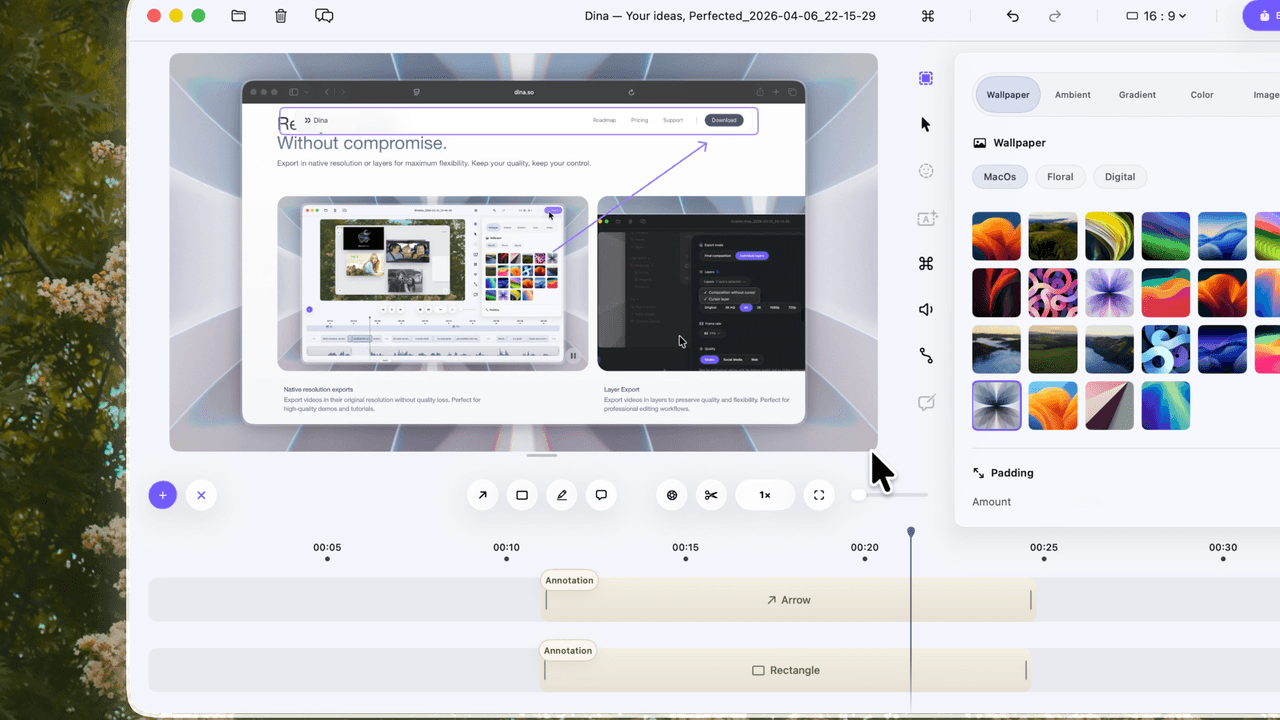
Shapes & Arrows
Frame, point, and guide with precision. Use shapes and arrows to structure your explanation and direct attention with clarity.
Designed to adapt.
Seamlessly.
Shape every recording to match your style—with subtle controls that keep everything consistent and on brand.
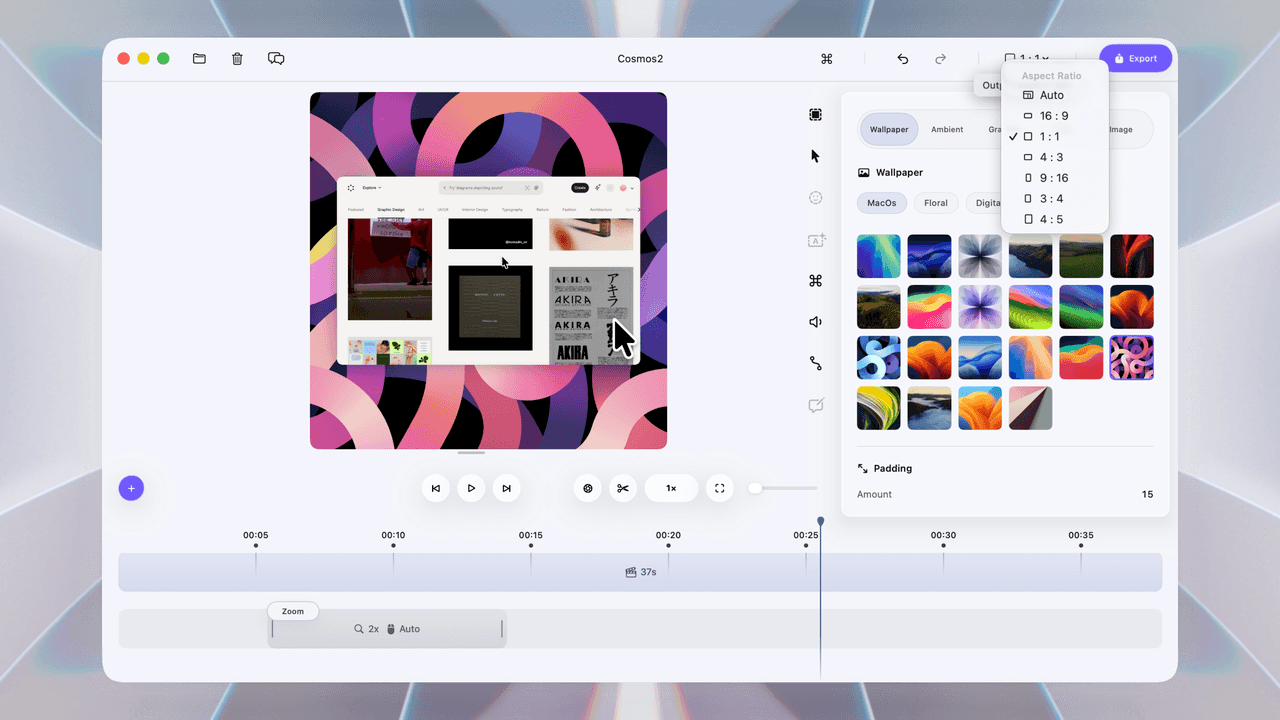
Background and spacing
Change the background and adjust spacing around your video to frame your content clearly and consistently.
Sound and presence.
Built in.
Capture video, voice, and system audio together—so every recording feels complete from the start.
Built for presence
Record your webcam, microphone, and captions together to add context and clarity. Your message comes through naturally, without extra setup.
Voiceovers
Record voiceovers directly in your timeline—so you can add, edit, and refine narration without breaking your flow.
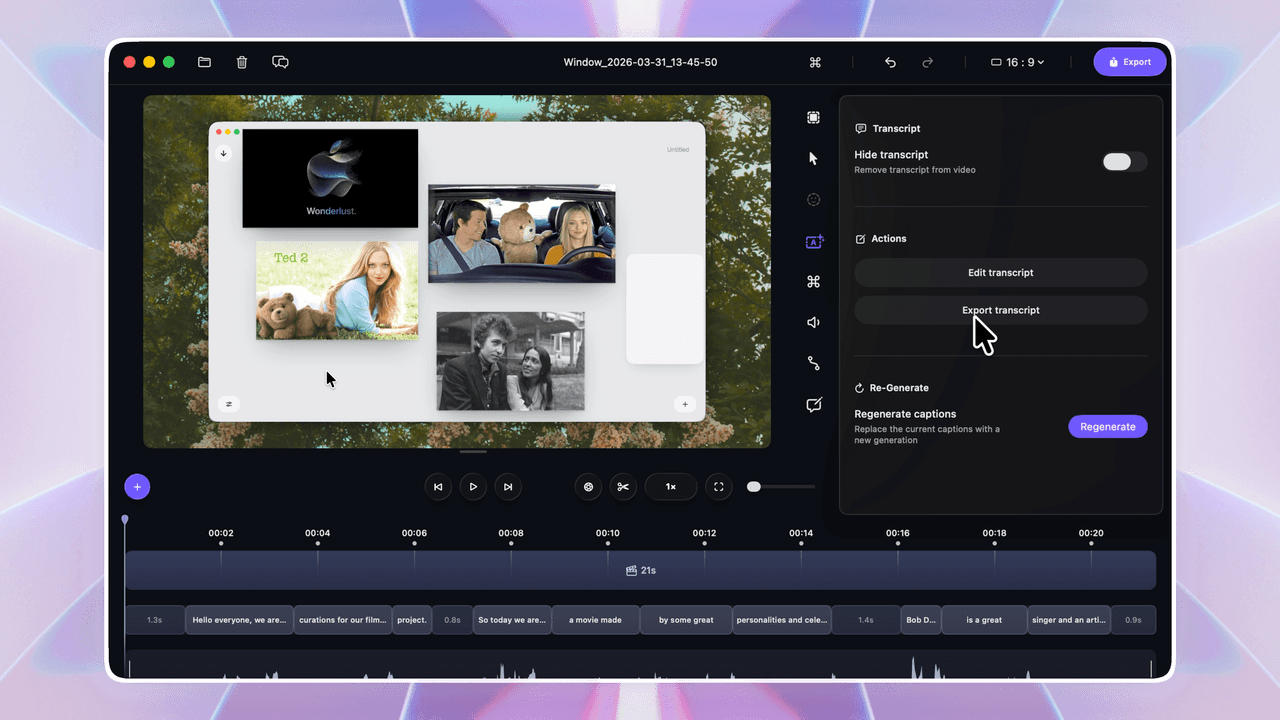
Editable captions
Generate transcripts automatically and fine-tune words, timing, and phrasing so captions read clearly and accurately.
Webcam, your way
Adjust size, shape, roundness, and position to place your camera exactly where it belongs in the frame.
AI transcript editing
Turn speech into edits, automatically
Your recording, as text—so you can edit your video by editing the transcript, while AI removes fillers and silence automatically.
AI voiceovers
Turn text into natural-sounding narration—instantly
Write your script and let AI handle the rest—so you can generate natural voiceovers from text using efficient on-device models, ready to fit your video perfectly.
Recording simplified.
Beautifully.
Phia makes recording effortless. Capture any display, window, or area, with microphone and camera support — all from a single, simple control
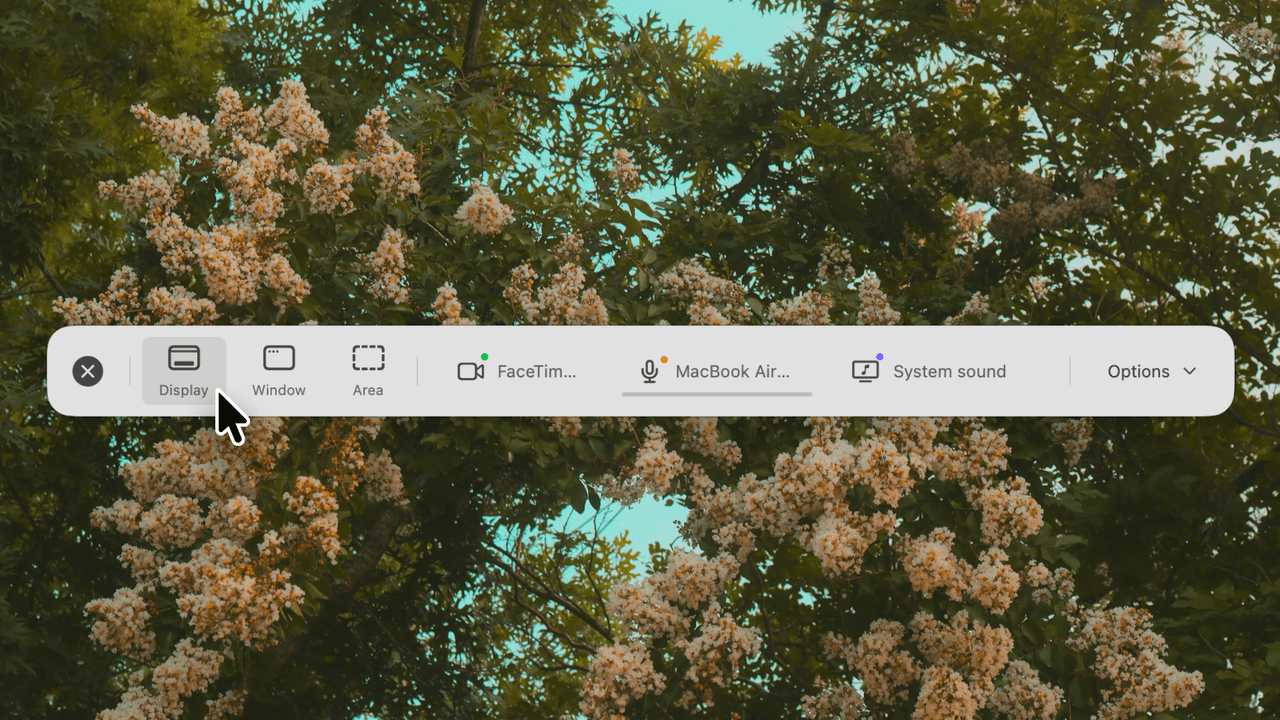
Start recording
Capture your screen, window, or area with camera, mic, and system audio—all in one place, in high quality.
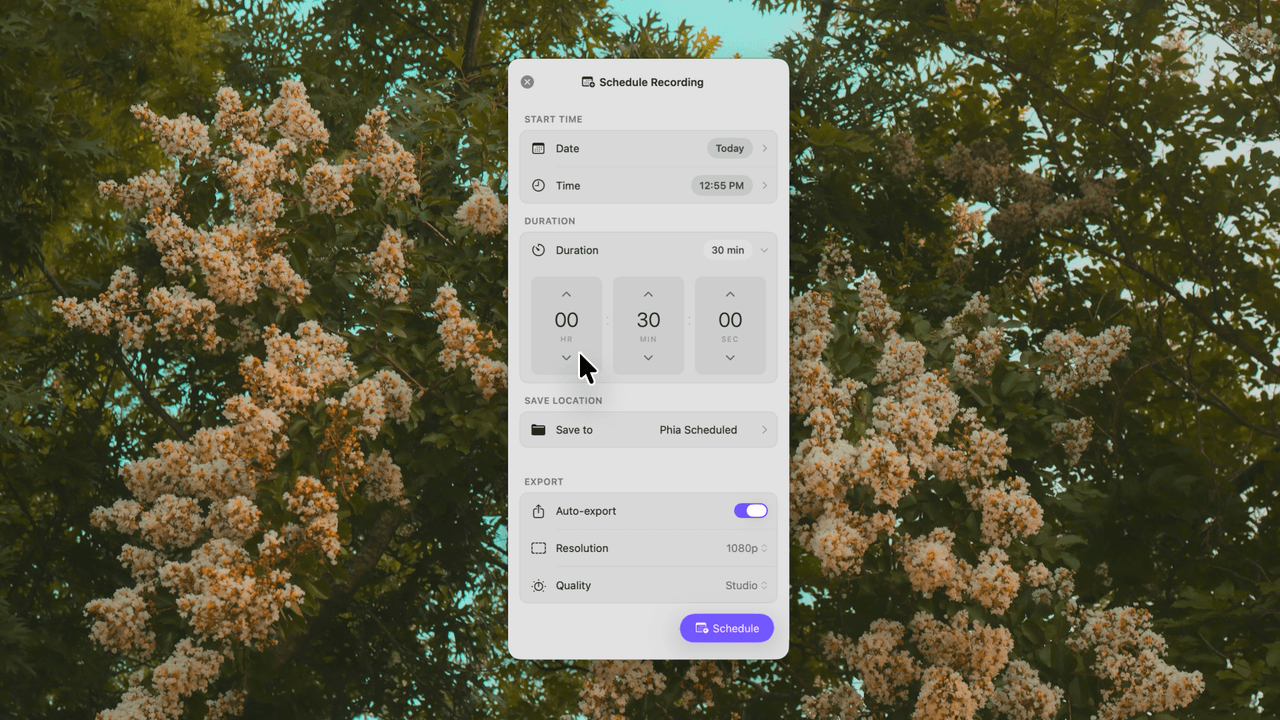
Scheduled Recording
Set a time and let Dina handle the rest—so you can start recording without being there.
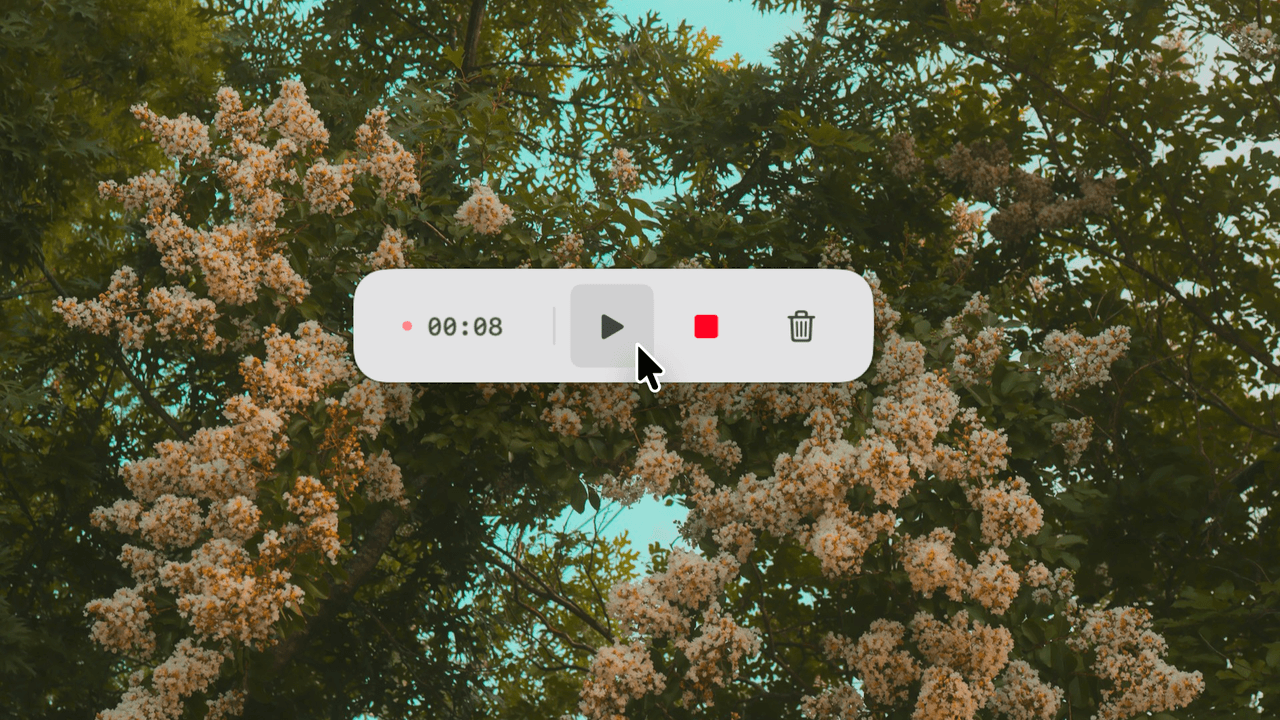
Pause Recording
Pause and resume whenever you need to—so you can record at your own pace.
iPhone Recording.
Done beautifully.
Connect your iPhone with a USB cable or choose iPhone mirroring window and start recording. Create polished demos, tutorials, and how-tos with clean, professional results.
Beautiful iOS Recordings
Capture your iPhone in original resolution and enhance it with smooth motion and refined presentation. Designed to make every recording look polished.
Device Mockups
Choose from a range of iPhone variants and present your recordings inside beautiful device mockups.
Keyframes
Keyframes help you create smooth, natural transitions. Add them to highlight important moments and guide your viewers' attention.
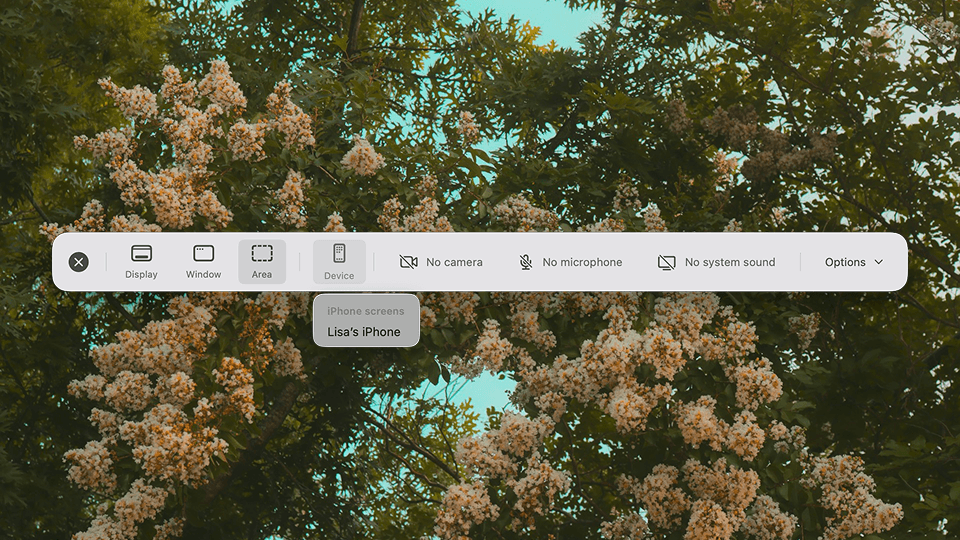
Easy iOS device recording
Connect your iPhone with a USB cable or choose Iphone mirroring window and start recording.
Ready to share.
Without compromise.
Export in native resolution or layers for maximum flexibility. Keep your quality, keep your control.
Native resolution exports
Export videos in their original resolution without quality loss. Perfect for high-quality demos and tutorials.
Shareable video
Share your video with a public link. Anyone can watch, review and collaborate on it without needing an account.
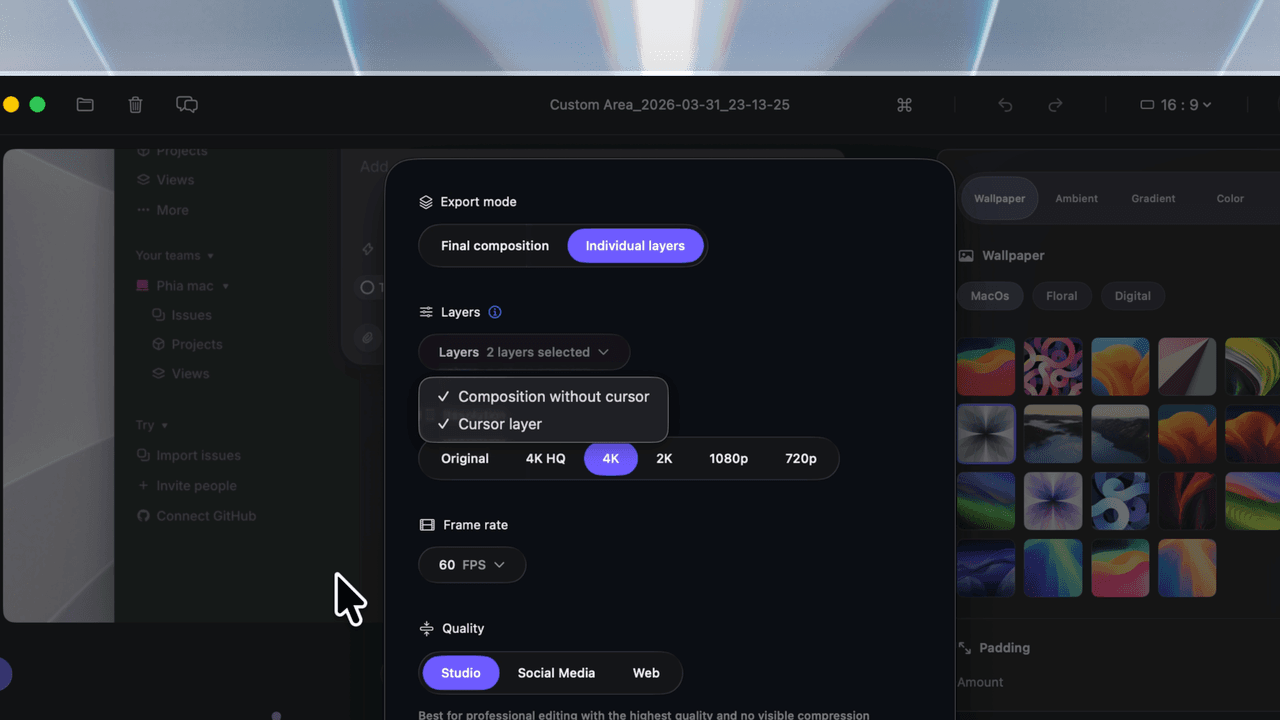
Layer Export
Export videos in layers to preserve quality and flexibility. Perfect for professional editing workflows.
Dina puts control at your fingertips, so you can customize shortcuts and edit your video with speed and precision, without slowing down.
Once you try it.
You won't look back.
Built for macOS from the ground up, Dina brings together native performance, familiar workflows, and intelligent features that feel instantly at home on your Mac.

macOS
Built for the latest versions of macOS, Dina feels right at home—with native performance, seamless integration, and an experience that matches the system.

Apple Silicon
Dina runs natively on Macs powered by Apple Silicon, delivering exceptional performance, efficiency, and responsiveness across recording, rendering, and real-time effects.

Metal
Using Metal, Dina taps directly into the GPU to power smooth motion, real-time visual effects, and high-quality video processing — all at the speed of thought.

SwiftUI
The interface is crafted with SwiftUI, delivering fluid animations, precise interactions, and a clean macOS-native experience that feels effortless from the first click.

Core ML
Powered by on-device Core ML models, Dina runs intelligent features — from transcript generation to voice synthesis — with full privacy and zero cloud latency.
Simple pricing.
No subscriptions.
Dina is available as a one-time purchase. Pay once, own it forever — with no recurring fees and no surprises.
Mac licence
A native macOS app designed for focused, private work. Buy once and use Dina on your Mac — no subscriptions, no recurring fees.
Yours to keep, forever.
- Native macOS app
- Lifetime license
- Free updates forever
- Files saved locally
- Works fully offline
- All features unlocked

Per device, includes lifetime updates
Stay in the loop.
Join the community and be the first to know about new features, support, and everything about Dina.
Questions & Answers
If you have any other questions, please get in touch

Ready when you are.
Create polished videos with precision, speed, and clarity.


